- A Roadmap To CRA Compliance and Financial Stability
- The Concierge Desk
- The Backgrounder Library
- Spreadsheet Bookkeeping Systems
Can Canadian Solopreneurs Use Excel for Bookkeeping?
A Backgrounder Article | Drawer D: Bookkeeping Tools - How They Work

By L.Kenway BComm CPB Retired
This is the year you get all your ducks in a row! Start by starting ... and keep it simple. Consistency beats perfection.
Published May 29, 2026
WHAT'S IN THIS ARTICLE
Introduction | Why Spreadsheets | Where Spreadsheets Breakdown | Hidden Cost | CRA Recordkeeping | Beyond Spreadsheets | Final Thoughts | Next Step
RETURN TO >> No Tech, Low Tech, Affordable Tech
NEXT ARTICLE >> How Cloud Bookkeeping Works
BACK TO >> The Backgrounder Card Catalogue
 The best bookkeeping system is not necessarily the fanciest
Many Canadian solopreneurs start their bookkeeping with a spreadsheet.
It is inexpensive, flexible, and familiar. For a business with relatively few monthly transactions, Excel or Google Sheets may seem like a perfectly reasonable solution.
And sometimes it is.
Despite what software advertising often suggests, not every freelancer, consultant, or home-based business owner needs bookkeeping software immediately. A spreadsheet may work well during the early stages of business if records are updated consistently and supporting documents are organized properly.
The important question is not whether spreadsheets are “good” or “bad”. The better question is whether a spreadsheet still fits the current stage of your business.
Before we get into details ... yes, a spreadsheet can be a legitimate bookkeeping system for a Canadian solopreneur. In a climate where software subscriptions keep climbing ... often for features a one-person business will never use ... starting simple is not a compromise. It is a reasonable business decision.
Why Spreadsheets Appeal to Solopreneurs
For many small business owners, spreadsheets offer several practical advantages.
- The cost is low or nonexistent. There is no monthly subscription fee, which matters when business income is still unpredictable.
- Most people already understand the basics of spreadsheets, so there is less of a learning curve compared to bookkeeping software.
- Spreadsheets are also flexible. They can be customized to track income, expenses, GST/HST, mileage, home office costs, and cash flow.
For a simple business with one bank account and limited activity, this may be all that is needed.
In some cases, manually entering transactions can even help new business owners become more aware of where their money is going.
Where Spreadsheet Bookkeeping Starts to Break Down
The weaknesses of spreadsheet bookkeeping usually appear gradually.
At first, the process may seem manageable. But as transaction volume increases, bookkeeping often becomes more time-consuming and more difficult to maintain accurately.
One of the biggest risks is manual error.
A formula can be overwritten accidentally. A transaction may be missed or entered incorrectly. GST/HST calculations can become unreliable if data is inconsistent or cells are changed unintentionally.
Unlike bookkeeping software, spreadsheets generally do not have built-in controls to help identify mistakes.
Another issue is that spreadsheets rely heavily on discipline and consistency. If bookkeeping falls behind for several months, catching up manually can become stressful and time-consuming.
Version control can also become a problem. Many business owners end up with multiple copies of the same file:
- Final.xlsx
- Final Updated.xlsx
- Final Updated NEW.xlsx
At some point, it becomes difficult to know which version is correct.
The Hidden Cost: Losing Valuable Business Insight
One disadvantage of spreadsheet bookkeeping that is often overlooked is the loss of meaningful historical analysis.
Good bookkeeping is not just about recording transactions for tax purposes. It is also about understanding patterns and trends within the business.
For example:
- Are expenses gradually increasing?
- Is revenue seasonal?
- Which months create cash flow pressure?
- Are software subscriptions quietly accumulating?
- Is one client becoming too large a percentage of total income?
Many spreadsheet systems are not structured consistently enough to answer these questions easily.
A spreadsheet can record history, but it does not always help a business owner understand it.
Bookkeeping software often provides reporting tools that make trends more visible over time. This information can help solopreneurs make better decisions before small issues become larger problems.
CRA Record-Keeping Still Matters
Whether you use a spreadsheet or software, your CRA obligations are identical. CRA does not care what tool you use to organize your records. What it cares about is whether your supporting documents are complete, accurate, and retrievable.
The Canada Revenue Agency expects businesses to keep supporting documentation such as:
- receipts
- invoices
- bank statements
- GST/HST records
- expense documentation
Where spreadsheet-based businesses tend to run into trouble is not the spreadsheet itself. It is the supporting documentation that never go organized alongside it. A tidy spreadsheet with missing receipts is still an audit problem. Good bookkeeping habits matter more than the specific tool being used.
When It May Be Time to Move Beyond Spreadsheets
Many solopreneurs eventually reach a stage where bookkeeping software becomes more practical than a spreadsheet.
This often happens when:
- transaction volume increases
- GST/HST reporting becomes more complicated
- bookkeeping regularly falls behind
- year-end preparation becomes stressful
- the business becomes incorporated
- more detailed financial reporting is needed
The decision to move to software is not necessarily about being 'more professional'.
In many cases, it is simply about saving time, reducing manual errors, and making bookkeeping easier to maintain consistently.
Final Thoughts
For some Canadian solopreneurs, spreadsheets can work well during the early stages of business.
However, spreadsheets also depend heavily on organization, consistency, and manual accuracy. As business activity grows, the limitations often become more noticeable.
The best bookkeeping system is not necessarily the cheapest or the most sophisticated. It is the one that helps you maintain accurate records, stay organized, meet CRA requirements, and better understand the financial health of your business.
Next Step
If you are using a spreadsheet and it is working, keep using it. If you are using starting to feel the friction ... bookkeeping falling behind, GST is getting complicated, yearend is becoming stressful ... that is your signal to look at what comes next.
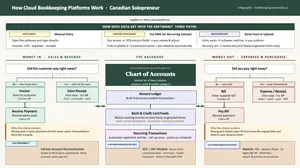
If you are ready to look at what comes next, How Cloud Bookkeeping Platforms Work maps out how cloud platform is structure before you commit to one.
If you are already thinking about making the move, two Canadian options worth considering for a simple solo business are TrulySmall Accounting and Kashoo ... both built with small operators in mind rather than growing teams. If I were starting out today, it's what I'd do a test run on. When viewing the pricing, check to confirm whether it is quoting CAD (Canadian dollar) or USD (U.S. dollar). At the time of this writing, the pricing was $30 CAD and $45 CAD a month respectively. If you pay annually, you will receive slightly better pricing. It's worth noting that TrulySmall has a recurring transaction feature but Kashoo apparently does not.
If you look at QBO (QuickBooks Online) Easy Start or Essentials, compare the subscription tiers carefully before committing. Easy Start lacks the recurring transaction feature which means you end up relying on the bank feed or manual entry. Neither is ideal. For a one-person business, that gap matters just as much as the HUGE price gap suggests ... $30 CAD vs $70 CAD.
Backgrounder Articles
How Governments Raise Revenue | A Backgrounder
Discover the three ways governments raise revenue and why understanding Canadian tax policy helps you make better strategic decisions for your business.
What Is GST/HST? What Is VAT? | Canadian Sales Tax Backgrounder
What is GST/HST and why is it called a value-added tax? This short Canadian backgrounder explains how GST, HST, and VAT work for small business owners.
When Economic Growth Doesn't Feel Like Prosperity | Solopreneur Canada
Learn the difference between GDP and GDP per capita, and why economic growth doesn't always translate into higher living and what it means for your business.