- A Roadmap To CRA Compliance and Financial Stability
- T2125 Routing Checklist
- Year-end Rescue Guide
Year-End Tax Rescue Guide
A Guide For Disorganized Self-Employed Canadians

By L.Kenway BComm CPB Retired
This is the year you get all your ducks in a row! Start by starting ... and keep it simple. Consistency beats perfection.
Updated February 9, 2026
Originally published on Bookkeeping-Essentials.com in February 2009; moved to this site in July 2024 after a full rewrite.
WHAT'S IN THIS ARTICLE
How To Get Started | 3 options: 1. The Paper Filing Method | 2. The Spreadsheet Method 3. The App Method | Thinking Ahead | Simple Cash Management System | Wrap-up
MORE >> Learn The 6 Components To Setting Up Your Bookkeeping System
BACK TO >> Canadian Tax Filing Season ... Start Here
Who This Is For?
This rescue guide is for you if:
- ☐ You didn't keep books during the year.
- ☐ Your receipts are in a shoebox, folder, or scattered across email.
- ☐ Tax season is approaching and you're panicking.
- ☐ You need to get organized FAST for your accountant or tax preparer.
Not you?
If you kept good records all year, check out my Line-by-Line T2125 Guide instead.
If you need to understand the basics before organizing your records, start by learning how sole proprietors are taxed in Canada.
It's February and you're staring at a shoebox (or folder, or inbox) full of receipts. You meant to keep up with your bookkeeping all year, but life happened. You're not alone, and you're not doomed. Here's how to get tax-ready fast ... no judgment, just practical steps.
Steps To Get Tax-Ready Fast (Even If You're Behind)
It can be especially stressful when year-end and tax preparation comes around. Even more so if you developed the bad habit of ignoring your bookkeeping throughout the year. Here are the steps to remove some of the stress from tax time.
- Start organizing early in January to relieve your stress and your tax preparer's stress. (Yes, yes, I know it's already February ... don't panic, just start now.) It may cost less if you submit your information earlier in the tax season, say March 1st, rather than later (any time in April).
- Before you begin, set up a CRA MyAccount if you haven't already. Many tax slips (T4A, T5s, etc.) are available electronically through this portal, making tax preparation easier.
- Once that is done, if you haven't been organizing your tax receipts throughout the year, start by gathering all the information that isn't available on CRA's website. This includes your business receipts for expenses, medical receipts, charitable donations, and other documentation that supports your deductions.
HEADS UP: CRA Interest rates on unpaid taxes and outstanding balances continue to remain high. Plan ahead if you think you won't be able to pay. - Organize your tax information using the simple year-end and tax preparation method outlined below. A good tax preparer will ask to see your records and receipts.
IMPORTANT DEADLINE: Self-employed individuals have until June 15 (or the next business day if it falls on a weekend) to file their tax return. Any taxes owing are still due by April 30. Interest starts accumulating after April 30, regardless of the June filing deadline. - Take your organized information to your tax preparer. Another option only if you are relatively knowledgable about all aspects of your business's finances and CRA compliance rules is to do your taxes yourself using one of the online tax platforms. Just know that if your return is not basic, you may have trouble filing without engaging with a human tax preparer who has more access to features unavailable on the self-help returns.
YOUR RESPONSIBILITY: Go to your tax preparation interview ready to answer questions such as: What percentage of your vehicle is used for business? (You'll need a mileage log.)
Do you have a dedicated home office space? What percentage of your home does it occupy? Which meals and entertainment expenses were with clients or for business purposes? Did you bring all your receipts for everything you want to claim ... or did you leave some in your car, on your desk, or still in emails? (I gotta ask why?)
The better prepared you are, the faster (and maybe cheaper) your appointment will be. - Make sure you understand how much the tax preparation service is going to cost prior to allowing the tax preparer to prepare your return. For clarity, get a quote prior to proceeding so you don't have sticker shock at the end.
MONEY TIP: Get a quote before your tax preparer starts work ... no sticker shock at the end. And stay away from anyone who charges based on the size of your refund.
- It is important to have the tax preparer review the finished return with you. Understand that it is still YOUR RESPONSIBILITY for what the tax return says even if a professional prepared it. Don't let them skip this step! Don't sign off until this has been done. If you don't understand something? Ask. It's your right!
PROTECT YOURSELF: Never sign a blank or incomplete return. Ever.
More >> What It Means When You Sign Your Income Tax Return
- If you receive a notice from CRA requiring action, make sure you let your tax preparer know. They will address CRA's concerns often at no charge as it may be included as part of the tax preparation service.
SMART MOVE: Choose a tax preparer that is available all year and not just at tax time. If CRA sends a notice, you'll want someone to call.
Three Year-End and Tax Preparation Options
Following are three year-end and tax preparation options; (1) old school no tech; (2) low tech, and (3) affordable tech. Choose the one you are most comfortable with.
 Old School No Tech Solution for Self-Employed Tax Preparation
The Paper Filing Method (No Tech Required)
Simple Year-End and Tax Preparation Method
This isn't the traditional 'shoebox method' where you dump everything unsorted into a box. That approach just shifts the work (and cost) to your tax preparer. This method has you sort receipts by category as you go ... using file folders or envelopes (my preference as it keeps your receipts from falling out!). It takes a bit more effort upfront, but it's way cheaper and gives you better control.
What this method requires:
- Before you start, you will need a copy of your T2125 Schedule included in your prior year's T1 tax return for reference.
- A supply of file folders or 9 x 12 envelopes
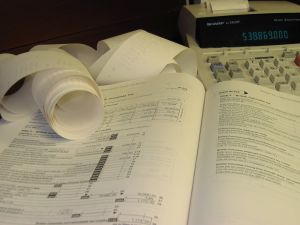
- Access to an old-fashioned printing calculator with a paper tape to tally each category at the end of the year.
Step One: At the beginning of each calendar year, refer to your prior year T2125 Schedule. Take a file folder (or envelope) and write on the front - the year, the tax line number from the T2125 Schedule, and the expense name. Do this for every line you used on last year's T2125 Schedule or expect to submit a tax claim on this year.
Step Two: Throughout the year, place all your corresponding business receipts in the appropriate file folder. It's so much easier to do this throughout the year rather than sitting down to sort a pile of receipts at tax time. Creating this habit makes receipt organization so much less of a chore. You are also less likely to lose tax deductions due to lost receipts.
Step Three: At the end of the year, run a tape listing of every receipt for each file folder. Write the total expense for that line on the outside of the file folder. Insert or staple the paper tape listing to the inside of the file folder.
The Spreadsheet Method (Basic Organization)
This is the Shoebox Method with a digital twist. Here are two ways to do it - digital receipt folders or spreadsheet summation. You choose what works for you.
1. Go with a comfortable low-tech method and create digital folders on your computer for the receipts. Instead of filing paper receipts, you will take pictures of all your receipts and store them in the electronic folders you created. Give each receipt a good name for retrieval purposes such as Line xxxx YYYY-MM-DD Supplier Name Amount. It ensures your year-end and tax preparation will be a breeze!
2. Use an Excel spreadsheet instead of a tape listing calculator to tally each line. You're basically using Excel as a calculator here, nothing more.
Step Four: Keep all file folders pertaining to one tax year together in a box. If you are audited, you've got everything you need to support your return.
Why It Works: It is a simple, low-tech way to keep and get your tax information ready for your tax preparer.
Drawback: It makes it onerous for your tax preparer to determine if all your deductions listed are allowable. You really need to be on top of knowing the rules.
It's also not the best way to implement good bookkeeping practices in your business. It does not provide information on whether you are making money or not. You could work around this if you are willing to use several bank accounts to manage your cash flow (see below).
Other Filing Options: Consider other low tech filing organization options if you want to use your records to help you run your business.
The App Method (Let Tech Help)
If you want to have access to your historical information in the future to assist with strategic planning, you could use a program such as QuickBooks Online (QBO) Canada - Self-Employed version like a calculator:
- Using QBO's Online Bank Feeds is a helpful and time-saving feature that reduces your data entry time;
- As is the app that captures receipts on the fly; and
- You can create and send professional invoices from your phone.
What this method requires:
- An online subscription to QuickBooks Online (QBO) Canada - Self-Employed version
- Willingness to connect the software to your bank
- A smartphone to download the receipt capture app that is included in the subscription.
At Year-End and Tax Preparation Time:
Instead of running a tape listing, you would print out a QBO report (in PDF format if you want to be paperless) for each expense line and place it in the file folder.
If You Don't Want To Use Bank Feeds: Just set up a bank account called Cash and be sure to enter all your sales through Sales Receipt form and pay all bills through the Cash account using Write Cheques form. You won't have a set of books prepared in accordance with Canadian ASPE (Accounting Standards for Private Enterprise), but you should have all the information you need for your tax preparer to file your tax return.
Best Feature: Organizes your receipts in the cloud to manage your tax deductions so you are audit-ready. It makes year-end and tax preparation relatively painless.
What's Great About This Option: You could have reconciled bank and credit card statements. This shows your tax preparer you have captured your income and expenses.
Who It's Not For: This version of QBO is not for businesses that have employees or need to track QST. You would need to upgrade the QBO plan to one that offers the additional features you require. If that's you, you've outgrown the rescue guide approach ... time to set up proper books (or hire a bookkeeper.
MORE >> Be Audit Ready If CRA Examines Transactions Between Family Members
Thinking ahead to make year-end and tax preparation easier
Here are some tips to reach your goal of getting all your ducks in a row:
- Take an introductory bookkeeping course at your community college or online to learn the basics. You'll come away more confident you'll be on top of your business finances.
- If you haven't already, open a separate bank account for your business. Don't mix your business finances with your personal finances.
More >> Why you want a CRA audit trail? - Schedule your bookkeeping tasks so they don't pile up. Think of it as "cleaning as you go". It's much easier to clean the fridge if you wipe any spills as they occur rather than weeks later when they harden. Bookkeeping is the same. Keeping on top of it makes it less of a chore. Daily is best but weekly works too.
- Nowadays, technology is available and affordable for small businesses. Digitize all your bills, receipts, and of course invoices. Switch to digital receipts where possible. It is easier to keep them organized and gets rid of the problem of faded, lost, or damaged receipts.
More >> Can you shred your scanned receipts? - Take advantage of small business accounting software to make bookkeeping easier and reduce errors. Here are some reputable cloud-based options:
QuickBooks Online (QBO), Xero, or Sage are well-established platforms. For years, my preference has been QBO. However, be aware that QBO is increasingly focused on AI features and transitioning towards the medium-sized businesses market, which means it's becoming more complex and expensive than many solopreneurs need. The basic plans that used to work well for micro-businesses are being phased out in favor of feature-heavy (and pricier) versions.
Kashoo is a Canadian-based option designed specifically for small business simplicity. It has two straightforward plans and a good reputation for staying focused on what solopreneurs actually need ... not bells and whistles you'll never use. I would have switched to this but, for me, the main limitation me? Payroll is handled through a third-party integration rather than being built-in. If you don't have employees, this won't matter. If you do, factor that into your decision. I'm just 'app-ed out' and want the ease of dealing with one accounting program like the old days. (Yes, I know ... I'm old!)
Bottom line: Do your research. Make sure the software fits your actual needs (not what the marketing says you need) and that the pricing makes sense for your business size. I prefer supporting Canadian companies when the product is solid ... and my research says Kashoo fits that bill ... but choose what works best for your situation.
Whichever software you choose, it really does make everything easier and reduces bookkeeping errors because they are programmed to know most of the rules. You will need to take some initial training to ensure you are using the various modules correctly and not making a mess of things. - Once your data is entered into your accounting program, review the financial statements for issues you can get resolved before they become a problem.
More >> How to mine your business reports to run your business better - If you are not a do-it-yourselfer, hire a certified professional bookkeeper to handle this task for you. It's important to not get behind on government reporting and have information you can use to run your business instead of running it from the seat of your pants.
🦆 Points to Ponder: You're not stuck doing it this way forever. This rescue guide gets you through THIS tax season. But once you're caught up, consider building better habits so you're never in panic mode again. Start small ... even 15 minutes a week makes a difference.
Are you ready to kick-start some habit setting routines?
Try the 30-day admin reset. It's a simple system to get your bookkeeping habits on track without overwhelm. You know I'm all about learning to set good habits that reduce the stressful routine decision-making stuff that sucks the life out of you!
Year-End And Tax Preparation
Self Employed Profit First* Cash Management System
Self-employed business owners who only do their bookkeeping sporadically or for year-end and tax preparation need a method to manage their cash flow. Cash is what keeps your business going. This system helps with that. It gives you a clear picture of your cash position at the start of each day allowing you to get a feel for your cash flow trends and whether you need to change your plans.
MORE >> Learn more about this simple cash management system.
MORE >> Learn how to pay yourself on a regular basis.
* Profit First is a registered trademark in the U.S. and other countries.
Disclaimer: I am not a certified Profit First Professional or associated with Mike Michalowicz. I just like the system and introduced some of my client's to it. Get Mike's book to learn more about the system.
Year-end Rescue Guide
Wrap-Up
- If you've been putting off your bookkeeping all year, the methods outlined above will get you tax-ready without the overwhelm.
- I laid out three options to implement this system: the Paper Filing Method (no tech required), the Spreadsheet Method (basic 21st century organization), and the App Method (let tech help).
- The Profit First cash management system works well for self-employed business owners who don't do their books during the year. It puts you in control of your cash flow instead of flying by the seat of your pants.
- Work at your own pace. This isn't a race. It's about getting it done right.
- 🦆 Once you're caught up? Consider building better habits so next year isn't a scramble.
Canadian Income Tax Compliance Guide
A Tax Primer For Small Business
T2125 Self-Employed Tax Deductions | 2026 Canadian Tax Filing Season
Filing your T2125 for 2025? Start here. Whether you're organized or overwhelmed, this checklist routes you to the right guide. Plus what's new this year.
8 Common Tax Mistakes Self Employed Business Owners Make
Avoid these 8 common tax mistakes that are scrutinized by Canada Revenue Agency auditors because they have limitations and are not fully deductible.
Canadian Home Based Business and Taxes | Questions and Answers
Home based business and taxes Q&A ... some frequently asked questions and answers for the work from home (WFH) business owner who does their own bookkeeping...
Year-End and Tax Preparation | Simple Tax Compliance Method
If you keep your books solely for year-end and tax preparation purposes, tax experts suggest you establish this simple method to meet this requirement.
Self Employed Tax Deductions | Canadian Sole Proprietor
A line-by-line review of T1 Schedule T2125 self employed tax deductions. Don't miss these tax savings opportunities for a sole proprietor in Canada.
How to Deduct Web Related Outlays in Canada
How you deduct web related outlays depends on the purpose of your website and the time period it took to develop the site.
CRA Non-Business Travel Rates for Canadians
CRA's simplified method for non-business travel can be used for trips relating to medical expenses, moving expenses, and the northern residents deduction.
How To Write-off Business Vehicle Expenses | Self Employed in Canada
Business vehicle expenses for self-employed sole proprietors are claimed on tax form T2125. If you use your personal vehicle for business, let's see how ...